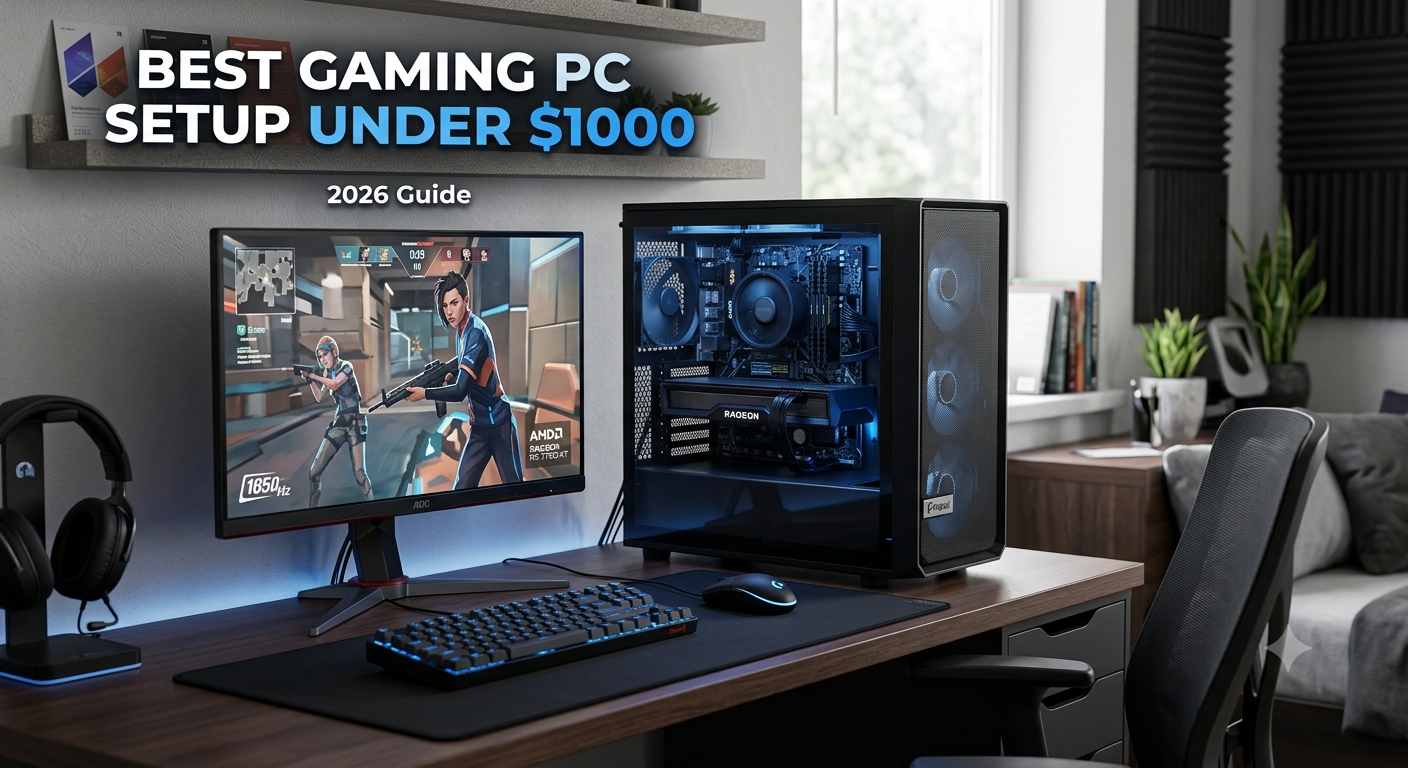
Building a powerful gaming setup does not always require a huge budget. In 2026, gamers can still create a high-performance gaming PC under $1000 capable of running modern games smoothly. Thanks to advancements in hardware technology and increased competition among manufacturers, budget gaming PCs now offer incredible value for money. Whether you’re a beginner entering the world of PC gaming, a student looking for an affordable setup, or an esports enthusiast seeking high frame rates, a carefully planned $1000 gaming PC can deliver an excellent experience.
This guide covers everything you need to know about building the best gaming PC setup under $1000, including recommended components, gaming performance expectations, accessories, optimization tips, and future upgrade paths.
Why Budget Gaming PCs Are Popular
Budget gaming PCs continue to grow in popularity because they provide excellent gaming performance without requiring a massive investment. Not everyone needs a $3000 gaming rig with the latest flagship graphics card. For many gamers, a well-balanced system under $1000 is more than enough to enjoy modern games at high settings.
Budget gaming PCs are perfect for:
- New gamers
- Students
- Casual streamers
- Competitive esports players
- Content creators on a budget
- Home office users who also enjoy gaming
One of the biggest advantages of a budget gaming PC is flexibility. Unlike gaming consoles, PCs can be upgraded over time. You can start with affordable components and improve your system later as your budget allows.
Another reason budget gaming PCs are popular is the growing number of free-to-play games. Titles like Fortnite, Valorant, Roblox, League of Legends, and Apex Legends run exceptionally well on mid-range hardware, making affordable gaming setups more attractive than ever.
Understanding Your Budget
Before selecting components, it’s important to understand how to allocate your budget effectively. A common mistake many first-time builders make is overspending on one component while neglecting others.
A balanced $1000 gaming PC budget might look like this:
- Graphics Card (GPU): $300–$400
- Processor (CPU): $150–$250
- Motherboard: $80–$150
- RAM: $50–$100
- Storage: $50–$100
- Power Supply: $50–$100
- PC Case: $50–$100
This distribution ensures that every component works together efficiently without creating performance bottlenecks.
Recommended Gaming PC Components
Choosing the right components is essential for maximizing gaming performance while staying within budget.
CPU
The processor acts as the brain of your gaming PC. It handles game logic, physics calculations, background tasks, and overall system performance.
AMD Ryzen 5 and Intel Core i5 processors remain excellent choices for budget gaming builds in 2026.
Recommended CPUs include:
- AMD Ryzen 5 7600
- AMD Ryzen 5 5600X
- Intel Core i5-14400F
- Intel Core i5-13400F
These processors offer:
- Excellent gaming performance
- Strong multitasking capabilities
- Efficient power consumption
- Great value for money
For most gamers, a Ryzen 5 or Core i5 processor provides more than enough power for modern gaming.
GPU
The graphics card is the most important component in any gaming PC. It directly affects frame rates, visual quality, and gaming performance.
The RTX 4060 remains one of the best budget gaming graphics cards for 1080p and 1440p gaming.
Other excellent options include:
- NVIDIA RTX 4060
- AMD Radeon RX 7600
- Intel Arc A770
- RTX 3060 (if available at a discount)
Benefits include:
- High FPS gaming
- Ray tracing support
- DLSS technology
- Improved visual quality
- Better streaming performance
For gamers focused on competitive titles, the RTX 4060 offers exceptional value.
Motherboard
Your motherboard determines compatibility and future upgrade options.
Recommended motherboard chipsets include:
AMD:
- B650
- B550
Intel:
- B760
- B660
Look for features such as:
- PCIe 4.0 support
- Multiple M.2 SSD slots
- USB-C connectivity
- Wi-Fi support
- Quality VRM cooling
A reliable motherboard ensures system stability and longevity.
RAM
Modern games require sufficient memory to run smoothly.
16GB DDR4 or DDR5 RAM is recommended for modern gaming performance.
Benefits of 16GB RAM:
- Smooth multitasking
- Better game loading
- Reduced stuttering
- Improved streaming performance
Recommended configurations:
- 16GB DDR4 3200MHz
- 16GB DDR5 5600MHz
Dual-channel memory is highly recommended for maximum performance.
Storage
Storage speed significantly impacts loading times and overall responsiveness.
Use a 1TB SSD for faster loading times and better system speed.
Recommended options:
- Samsung 990 EVO
- WD Black SN770
- Crucial P3 Plus
- Kingston NV2
Advantages include:
- Faster Windows startup
- Quick game loading
- Improved file transfers
- Better overall user experience
A 1TB SSD provides enough space for Windows, applications, and multiple modern games.
Power Supply
Never underestimate the importance of a quality power supply.
Recommended specifications:
- 650W to 750W
- 80+ Bronze or Gold certification
- Reliable brand reputation
Trusted brands include:
- Corsair
- EVGA
- Seasonic
- Cooler Master
- MSI
A quality PSU protects your components and ensures stable performance.
PC Case
A good case improves airflow, cooling, and aesthetics.
Look for:
- Mesh front panel
- Multiple fan mounts
- Cable management features
- Tempered glass side panel
Popular budget cases include:
- NZXT H5 Flow
- Corsair 3000D
- Montech Air 903
- Phanteks Eclipse series
Good airflow helps maintain lower temperatures and better performance.
Sample $1000 Gaming PC Build
Here’s an example of a balanced gaming PC setup under $1000:
| Component | Recommendation |
|---|---|
| CPU | AMD Ryzen 5 7600 |
| GPU | RTX 4060 |
| Motherboard | B650 Motherboard |
| RAM | 16GB DDR5 |
| Storage | 1TB NVMe SSD |
| PSU | 650W 80+ Bronze |
| Case | Airflow Mid-Tower |
This configuration delivers excellent gaming performance while remaining budget-friendly.
Expected Gaming Performance
A properly built $1000 gaming PC can achieve impressive frame rates.
Fortnite
Settings: High
Performance:
- 150–250 FPS at 1080p
Valorant
Settings: High
Performance:
- 250–400 FPS
Apex Legends
Settings: High
Performance:
- 120–180 FPS
Call of Duty Warzone
Settings: Medium to High
Performance:
- 90–140 FPS
GTA 5
Settings: Very High
Performance:
- 120+ FPS
Roblox
Settings: Maximum
Performance:
- 200+ FPS
Minecraft
Settings: High with shaders
Performance:
- 100+ FPS
These results make a budget gaming PC suitable for both casual and competitive gaming.
Best Games to Play on a Budget Gaming PC
A $1000 gaming setup can handle:
- Fortnite
- GTA 5
- Roblox
- Minecraft
- Apex Legends
- Call of Duty Warzone
- Valorant
- Counter-Strike 2
- Rocket League
- League of Legends
- Overwatch 2
- Rainbow Six Siege
- Destiny 2
- Elden Ring
- Cyberpunk 2077
Most games can run at high settings with stable FPS.
Gaming Accessories
Recommended accessories include:
- Mechanical keyboard
- Gaming headset
- 144Hz monitor
- RGB gaming mouse
These upgrades improve the gaming experience significantly.
Gaming Monitor
A high-refresh-rate monitor is one of the best upgrades you can make.
Recommended specifications:
- 1080p resolution
- 144Hz refresh rate
- 1ms response time
Popular options:
- ASUS TUF Gaming
- MSI G Series
- Acer Nitro
- Gigabyte Gaming Monitors
Gaming Keyboard
Mechanical keyboards provide:
- Faster response times
- Better durability
- Improved typing experience
Popular switch types:
- Red switches
- Blue switches
- Brown switches
Gaming Mouse
Look for:
- Adjustable DPI
- Lightweight design
- Programmable buttons
Popular brands:
- Logitech
- Razer
- SteelSeries
- Corsair
Gaming Headset
A quality headset improves communication and immersion.
Features to consider:
- Noise cancellation
- Surround sound
- Comfortable ear cushions
- Quality microphone
Streaming on a Budget Gaming PC
Many gamers also want to stream their gameplay.
A $1000 gaming PC can handle:
- Twitch streaming
- YouTube live streaming
- Discord screen sharing
Using NVIDIA NVENC encoding helps reduce CPU usage while maintaining excellent stream quality.
Future Upgrade Options
One advantage of PC gaming is upgradeability.
Future upgrades may include:
- 32GB RAM
- RTX 5070 graphics card
- Additional SSD storage
- Better cooling solutions
- Higher refresh rate monitor
These upgrades can extend the lifespan of your gaming setup for years.
Tips to Improve FPS
To increase gaming performance:
- Update graphics drivers
- Close background apps
- Lower unnecessary graphics settings
- Use performance mode
Additional optimization tips include:
Enable XMP or EXPO
Activating memory profiles allows RAM to run at its advertised speed.
Keep Windows Updated
Regular updates improve compatibility and security.
Optimize Startup Programs
Disable unnecessary startup applications to free system resources.
Monitor Temperatures
Use software such as:
- MSI Afterburner
- HWMonitor
- HWiNFO
Keeping temperatures under control prevents thermal throttling.
Clean Your PC Regularly
Dust buildup can reduce airflow and increase temperatures.
Clean:
- Fans
- Filters
- GPU heatsinks
- CPU coolers
every few months.
Why PC Gaming Remains Popular
PC gaming continues to dominate because it offers:
- Better graphics
- Higher frame rates
- Upgrade flexibility
- Massive game libraries
- Modding support
- Productivity benefits
Unlike consoles, gaming PCs can also be used for work, school, content creation, and programming.
Common Mistakes to Avoid
When building a gaming PC, avoid these mistakes:
Overspending on RGB
RGB lighting looks great but should never come before performance components.
Buying Cheap Power Supplies
Low-quality PSUs can damage expensive hardware.
Ignoring Airflow
Poor airflow leads to higher temperatures and reduced performance.
Choosing Too Little Storage
Modern games often exceed 100GB each.
Not Researching Compatibility
Always verify compatibility between:
- CPU
- Motherboard
- RAM
- GPU
- Case
before purchasing.
Final Thoughts
A budget gaming PC in 2026 can still deliver impressive gaming performance. Choosing the right components helps maximize FPS and overall gaming experience.
With a carefully selected Ryzen 5 or Intel Core i5 processor, an RTX 4060 graphics card, 16GB of RAM, and a fast SSD, gamers can enjoy smooth gameplay in today’s most popular titles without exceeding a $1000 budget.
Whether you’re playing Fortnite, Roblox, GTA 5, Minecraft, Apex Legends, Valorant, or Call of Duty Warzone, a well-built budget gaming PC offers outstanding value and performance. Combined with quality accessories and proper optimization, your gaming setup can compete with much more expensive systems.
Stay connected with GamesPulseHub for more gaming setup guides, hardware reviews, esports news, gaming tips, and the latest updates from the world of PC gaming.